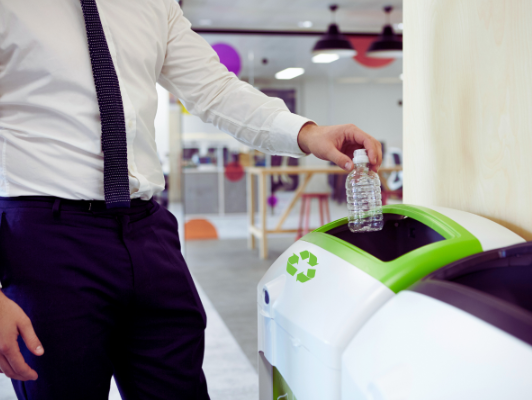

Office managers end up responsible for an odd mix of tasks that rarely appear in a formal job description, and figuring out where the retired printer or the box of old keyboards should go often falls squarely into that category. Building a reliable habit around Local recycling searches saves an office manager from repeatedly starting from scratch every time equipment needs to be cleared out, turning a recurring hassle into a quick, familiar routine.
Why This Task Keeps Landing on the Office Manager’s Desk
Retired office electronics don’t fit neatly into general janitorial services or standard waste pickup, which means the responsibility for figuring out proper disposal often defaults to whoever manages day-to-day office operations. Without a established process, this becomes a recurring small research project every single time equipment needs to be cleared out.
This pattern repeats itself across countless offices, which is exactly why building a reusable system once saves so much accumulated time and frustration over the course of a typical year.
See also: The Fintech Feeling: How Smooth Interfaces Make Money Decisions Look Simple
Why a Written Process Beats Institutional Memory
Office manager turnover happens just like any other role, and a process that only exists in one person’s head disappears the moment that person moves on to a new position. Writing down your vetted recycling options, along with any notes about pricing, pickup logistics, or special requirements, ensures the next person handling this responsibility doesn’t have to start entirely from scratch.
This kind of simple documentation also makes it much easier to delegate the task temporarily, whether to a coworker covering during vacation or an assistant taking on more responsibility over time.
Building a Standing List of Reliable Options
Rather than searching from scratch each time, keeping a simple internal reference document listing a couple of vetted local recycling options, along with their accepted materials and any relevant contact information, turns a recurring task into a quick lookup. This small bit of organization pays for itself many times over across a year of periodic office cleanouts.
Separating IT Equipment From General Office Electronics
Computers, servers, and networking equipment usually need to be routed through a process that includes proper data destruction, distinct from simpler items like old desk phones or keyboards that carry no meaningful data risk. Keeping these two categories clearly separated in your internal process avoids accidentally sending sensitive equipment through a channel that wasn’t built to handle data security.
A simple color-coded label or separate collection area for each category can make this distinction obvious even to employees who aren’t closely involved in managing the disposal process day to day.
Coordinating With Facilities or Property Management
In a shared office building, facilities or property management sometimes already has an established relationship with a recycling provider that individual tenants can use, which can save an office manager from arranging a separate pickup entirely. It’s worth checking with building management before assuming you need to set up an independent arrangement from scratch.
This is often one of the quickest wins available, since a five-minute conversation with a building manager can sometimes eliminate the need for any independent research at all.
Scheduling Regular Office Cleanouts
Rather than waiting until a storage closet becomes genuinely unmanageable, scheduling a recurring quarterly or biannual review of aging office equipment keeps the volume predictable and prevents a single overwhelming cleanout every few years. This regular rhythm also makes it easier to budget for any associated disposal costs rather than facing an unexpected expense all at once.
Pairing this review with an existing recurring meeting, like a quarterly operations check-in, means it’s far less likely to be forgotten or pushed aside amid other more pressing daily priorities.
Handling Employee-Owned Devices Left Behind
Offices inevitably accumulate a few orphaned personal devices over time, chargers, old phones, or forgotten accessories left behind by former employees. Having a clear policy for what happens to unclaimed items after a reasonable holding period keeps this from becoming its own small, recurring clutter problem in a shared office space.
Communicating the Process to the Whole Team
Employees are more likely to bring their own small electronics to a workplace collection point if they know it exists and understand where the items actually go afterward. A brief note in a company newsletter or a quick mention during a team meeting keeps the program visible rather than something only the office manager remembers exists.
Revisiting this reminder every few months, rather than announcing it once and assuming everyone remembers indefinitely, keeps participation steady instead of tapering off after the initial announcement fades from memory.
Final Thoughts
Office managers juggle enough recurring responsibilities without electronics disposal turning into its own repeated research project every time. Building a reliable, documented process once, and keeping it updated as needed, turns this particular task from an occasional headache into a quick, familiar routine that barely requires a second thought going forward.